در زمانی اتفاق می افتاد که ریپازیتوری های اوبونتو تایم ات می دهد و سرور امکان ارتباط و دریافت آپدیت و پکیج ها را ندارد
در این حالت باید ابتدا ریپازیتوری مناسب را انتخاب کنید
Use wget command to retrieve the list. The below wget command will retrieve apt ubuntu mirrors related to your country. Example:
$ wget -qO - mirrors.ubuntu.com/mirrors.txt

http://mirror.netspace.net.au/pub/ubuntu/
http://mirror.internode.on.net/pub/ubuntu/ubuntu/
http://mirror.overthewire.com.au/ubuntu/
http://mirror.aarnet.edu.au/pub/ubuntu/archive/
http://mirror.tcc.wa.edu.au/ubuntu/
http://ubuntu.mirror.serversaustralia.com.au/ubuntu/
http://ftp.iinet.net.au/pub/ubuntu/
http://ubuntu.mirror.digitalpacific.com.au/archive/
http://mirror.waia.asn.au/ubuntu/
http://ubuntu.uberglobalmirror.com/archive/
http://mirror.as24220.net/pub/ubuntu/
http://mirror.as24220.net/pub/ubuntu-archive/
You can see a list of available Ubuntu mirrors on the official archive mirrors website. Find your country, click on some of the servers, and perform a ping or traceroute test to see how speedy the connection is.
بعد از این مرحله باید در بخش مربوطه لینک مورد نظرتون را کپی و پیست کنید
Open your /etc/apt/sources.list using nano:
sudo nano /etc/apt/sources.list

همچنین شما می توانید سریع ترین را انتخاب کنید و با کامند های زیر جایگزین کنید
Choosing the fastest mirror with netselect
This solution is preferred, as it guarantees the fastest mirror selection. For this we are going to use netselect command.
- The
netselectpackage is not available within Ubuntu’s standard repository by default, so we will need to borrow it from Debian stable repository:$ sudo apt install wget $ wget http://ftp.us.debian.org/debian/pool/main/n/netselect/netselect_0.3.ds1-29_amd64.deb $ sudo dpkg -i netselect_0.3.ds1-29_amd64.deb
- Once you have the
netselectcommand available on your Ubuntu system use it to locate the fastest mirror based on the lowest ICMP latency. The netselect output will be relative to your location. The below example output will show top 20 apt Ubuntu mirrors (if available):$ sudo netselect -s 20 -t 40 $(wget -qO - mirrors.ubuntu.com/mirrors.txt) 134 https://mirror.us.leaseweb.net/ubuntu/ 142 http://mirrors.advancedhosters.com/ubuntu/ 147 http://ubuntu.osuosl.org/ubuntu/ 188 http://ubuntu.osuosl.org/ubuntu/ 195 http://mirror.us-ny2.kamatera.com/ubuntu/ 199 http://mirror.pit.teraswitch.com/ubuntu/ 211 https://nyc.mirrors.clouvider.net/ubuntu/ 213 http://mirror.brightridge.com/ubuntuarchive/ 213 http://mirror.math.princeton.edu/pub/ubuntu/ 220 http://ubuntu.mirror.constant.com/ 220 https://mirrors.bloomu.edu/ubuntu/ 225 http://ubuntu.mirror.frontiernet.net/ubuntu/ 227 http://www.club.cc.cmu.edu/pub/ubuntu/ 231 http://mirrors.tripadvisor.com/ubuntu/ 237 http://mirror.team-cymru.com/ubuntu/ 246 http://mirrors.gigenet.com/ubuntuarchive/ 246 http://mirror.siena.edu/ubuntu/ 250 http://us.mirror.nsec.pt/ubuntu/ 252 http://archive.linux.duke.edu/ubuntu/ 252 https://mirror.jacksontechnical.com/ubuntu/
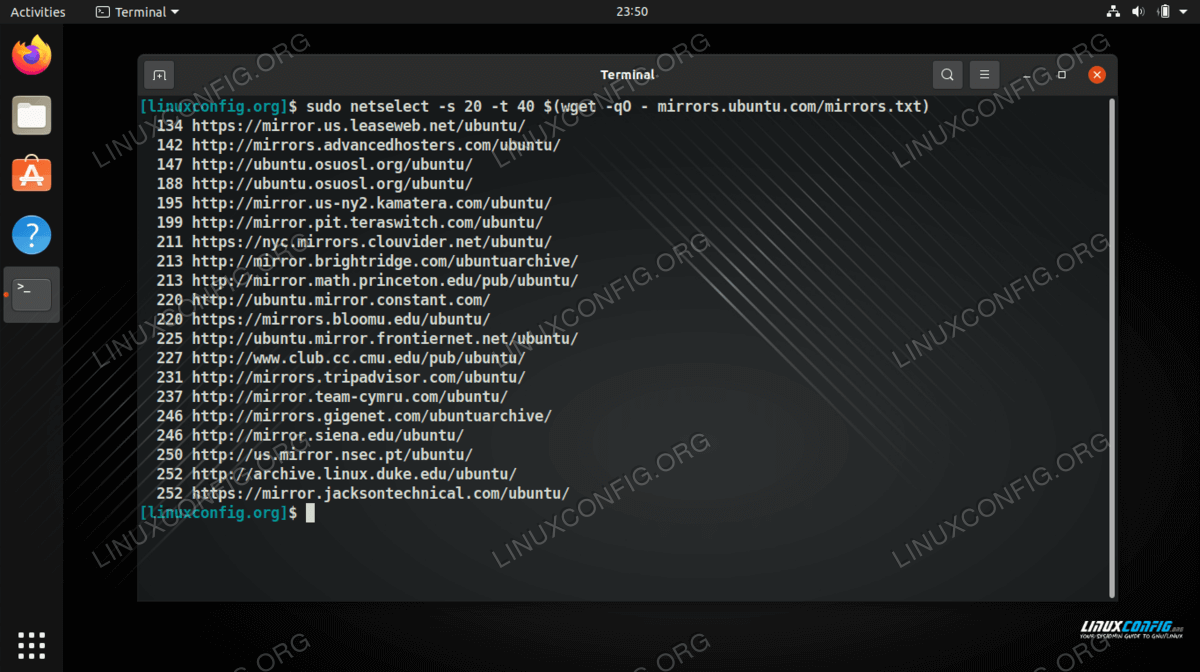
Using netselect command to determine the best Ubuntu mirror for us - Alter manually your
/etc/apt/sources.listfile to reflect the abovenetselectresults or usesedcommand, where the lower score number on the left represents a higher mirror transfer rate. Example:$ sudo sed -i 's/http:\/\/us.archive.ubuntu.com\/ubuntu\//http:\/\/ubuntu.uberglobalmirror.com\/archive\//' /etc/apt/sources.list
Co
منبع آموزش :
https://linuxconfig.org/how-to-select-the-fastest-apt-mirror-on-ubuntu-linux
