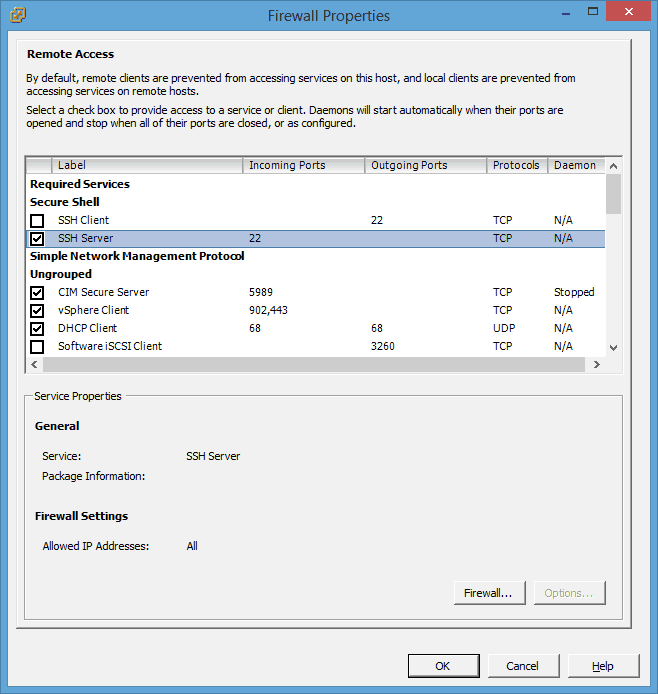
You can do this on the VMware ESXi host itself or you can do this directly from the VMware vSphere Client.
On the vSphere Client click on the configuration tab
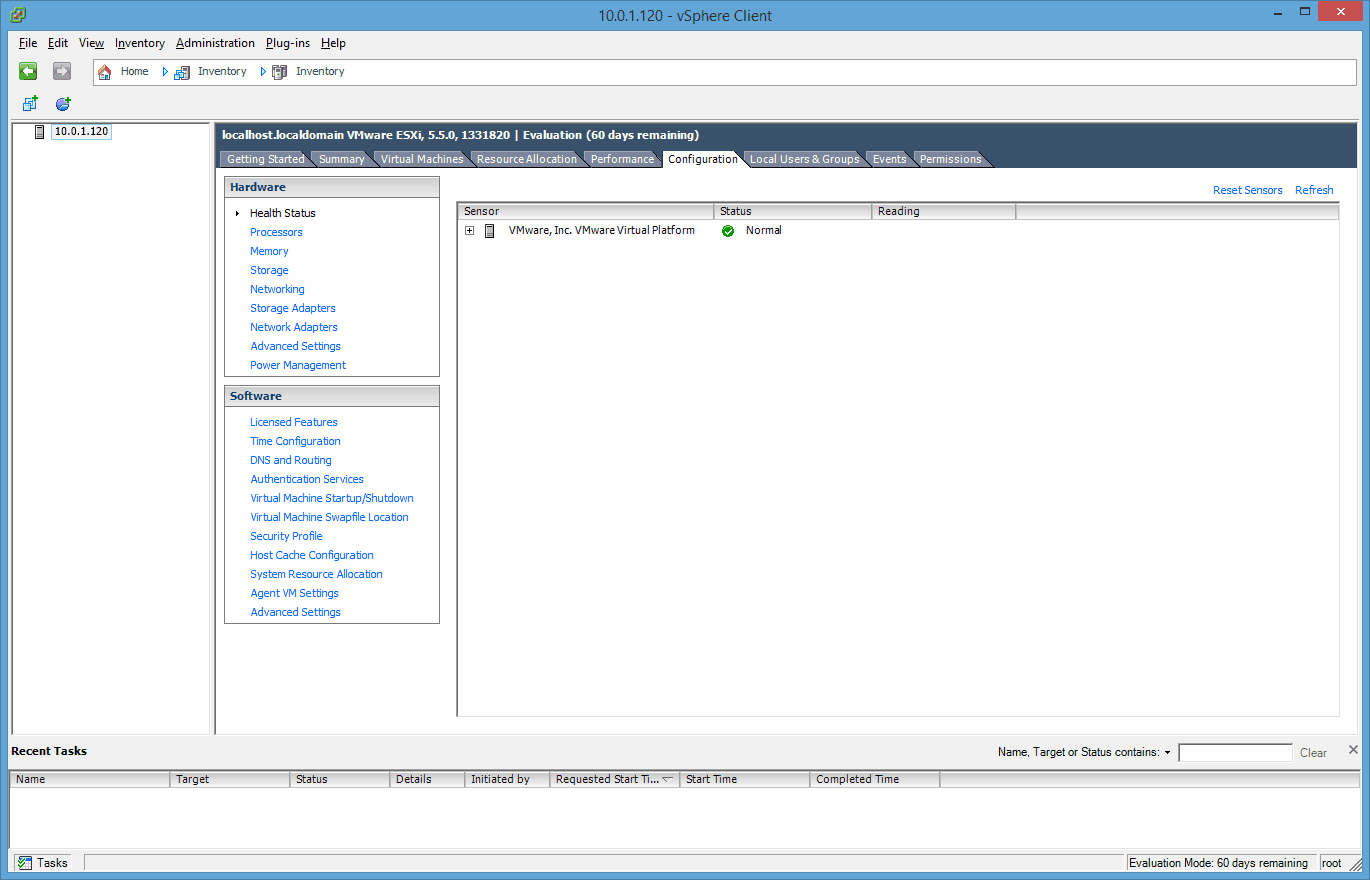
Click on Security Profile
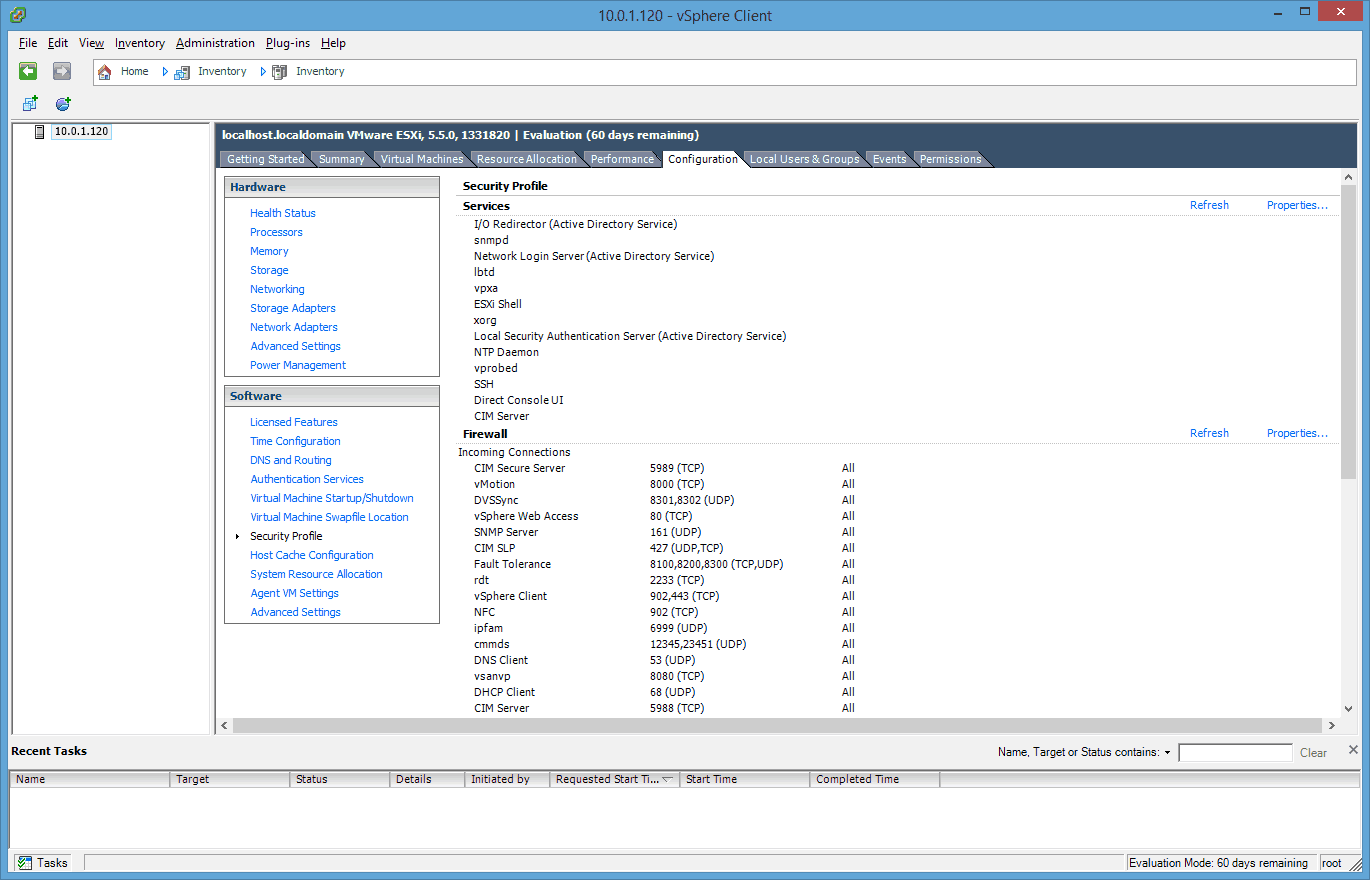
Now open the Properties tab so you cen see the Security Profile properties and the Remote Access services.
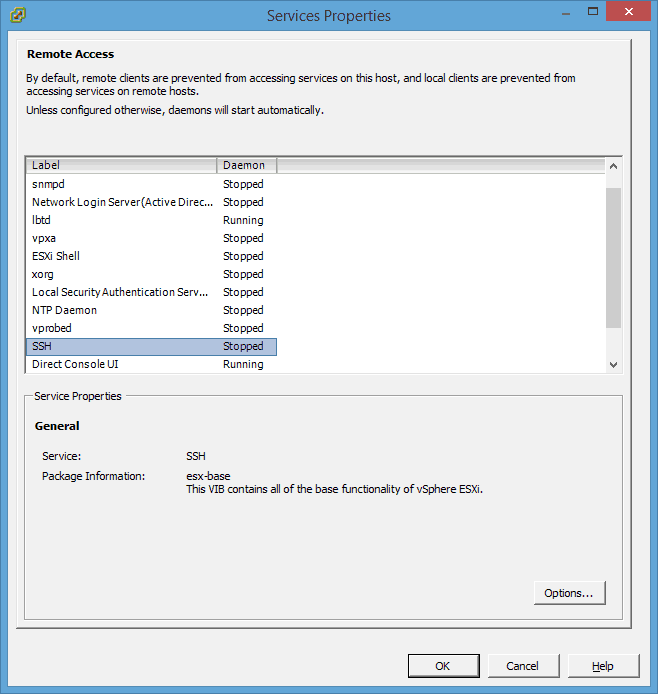
Select the SSH Service and click on Options. This will open up a new Windows where you can start the SSH service for your VMware ESXi 5.5 host and also set the startup properties for the service.
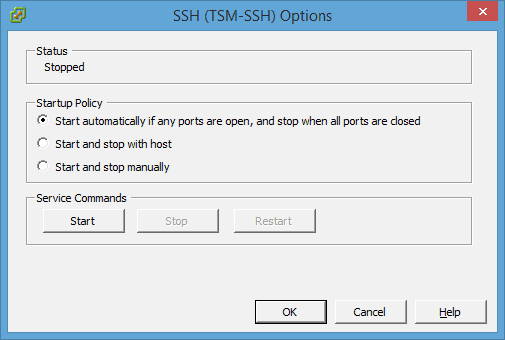
Now you should be able to access your VMware vSphere ESXi host via SSH. If you have any problems to connect you should also check out the firewall of your ESXi server.